
Guide
WhatsApp Flows Explained: Forms, Bookings and Lead Capture Inside WhatsApp (2026 Guide)
What WhatsApp Flows are, how they work (screens, endpoints, templates), 6 India use cases from bookings to lead forms, pricing, best practices and limits.
By Abbas Ali, Founder, WatsBerryUpdated 6 min read
Quick answers
- What are WhatsApp Flows?
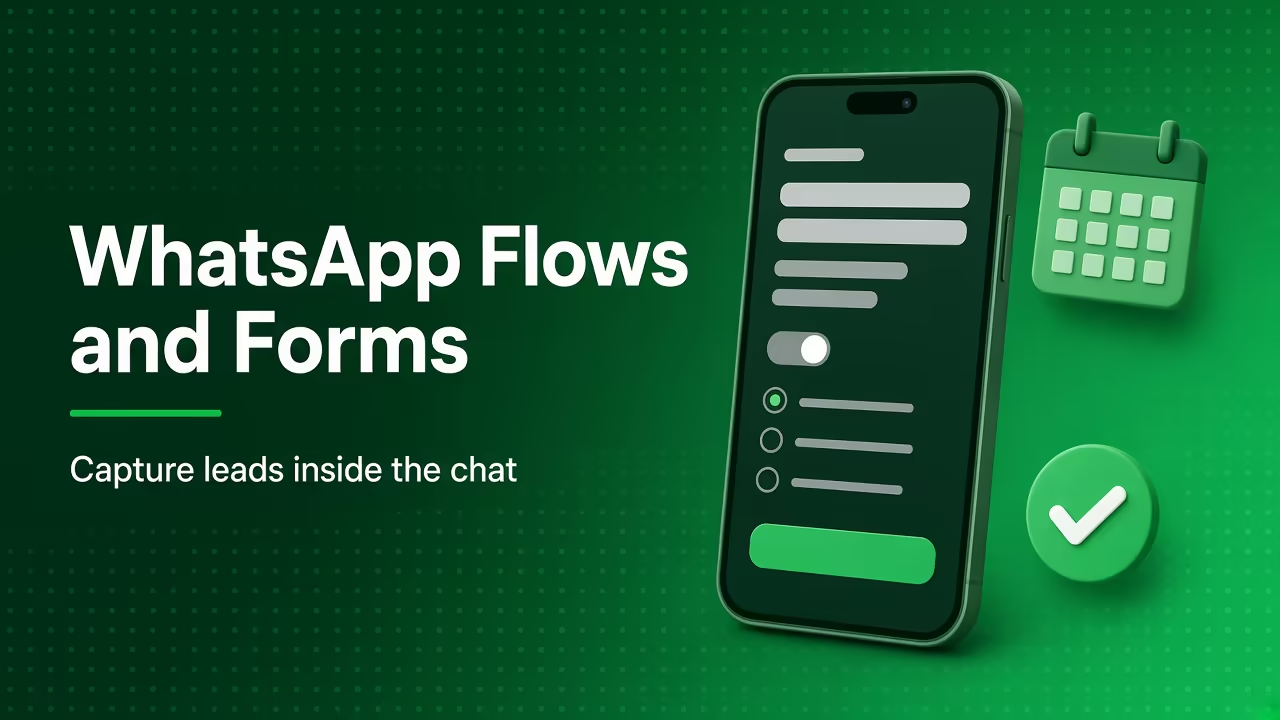
- WhatsApp Flows are structured, multi-screen experiences such as forms, booking screens and product selectors that open inside a WhatsApp chat. Meta describes them as a way to build structured interactions for business messaging, used for leads, recommendations, sign-ups and bookings.
- How much do WhatsApp Flows cost?
- Meta's pricing page doesn't list a separate Flows fee. You pay for the message carrying the Flow: a marketing or utility template if you start the conversation, or a service message if you send it inside an open customer service window. Your provider may charge for Flow features in its plan.
- Can I use WhatsApp Flows for appointment booking?
- Yes. A booking Flow can show services, staff, dates and available slots. Showing live availability needs a data endpoint connected to your calendar or booking system, and Meta says endpoint requests time out after 10 seconds, so the backend must be fast.
Short answer
WhatsApp Flows are app-like screens (forms, lists, date pickers, dropdowns) that open inside a WhatsApp chat, so customers can book appointments, fill lead forms or pick products without leaving WhatsApp. You send a Flow inside the 24-hour window as an interactive message, or proactively via a template with a Flow button. Simple Flows can be endpointless. Live data (like open slots) needs a data endpoint that responds within 10 seconds. Meta's pricing page doesn't list a separate Flows fee; you pay for the message that carries it.
Why Flows matter
A chatbot that asks ten questions one by one feels slow, and typed answers are messy ("tmrw evng?"). A Flow gives the customer a proper form, with dropdowns, date pickers and checkboxes, in the same chat. Meta's Flows overview lists uses such as lead generation, product recommendations, insurance quotes and personalised offers.
For Indian slot sellers and D2C brands, that means:
- Cleaner data: structured fields instead of free text.
- Fewer drop-offs: no website redirect on slow mobile data.
- Faster bookings: pick a slot in a few taps.
How a Flow works (in plain English)
- You design screens in Flow JSON or a visual builder: welcome → choose service → choose date → confirm.
- You publish the Flow. Flows start as Draft (testing only) and become Published for real users (see the Flow lifecycle).
- You send it:
- Inside a service window (the customer messaged you): send it as an interactive message with a button like "Book now".
- Business-initiated: create a template with a FLOW button and send it like any template (sending a Flow).
- The customer taps the button, fills the screens and submits.
- You receive the response (via webhook) and act on it: create a booking, add a lead to your CRM, reply with a confirmation.
Endpointless vs endpoint-powered
| Endpointless Flow | Endpoint-powered Flow | |
|---|---|---|
| Data | Static, or injected when you send | Live data fetched as the user moves through screens |
| Example | Lead form, feedback form, product interest survey | Real-time slot availability, live pricing, stock checks |
| Build effort | Lower (no server needed) | Needs an endpoint (server) |
| Meta's advice | Preferred where possible | Use only for screens that need live data |
| Time limit | n/a | Endpoint requests time out after 10 seconds |
Meta's Flows best practices say endpointless Flows "often offer better experience", are faster to build, and should be used unless live data is needed.
6 use cases for Indian businesses
| Business | Flow | Category of the message that carries it |
|---|---|---|
| Dental clinic | Book appointment: treatment → doctor → date → slot | Service (if patient messaged) or utility/marketing template |
| Salon | Choose service + stylist + time | Service or template |
| Coaching institute | Demo class sign-up: course, class, preferred batch | Often from a CTWA ad (free entry point window) |
| Real estate | Site visit request: project, budget, BHK, visit date | Service (from ad or website click-to-chat) |
| D2C skincare | Skin quiz → product recommendation | Marketing template if proactive |
| Any business | Post-visit feedback form for a specific visit | Utility template |
Hypothetical example: A Bengaluru coaching institute runs Click-to-WhatsApp ads. When a parent taps the ad and says "Hi", the bot replies with a "Book a free demo" Flow: student class, subject, preferred day, and a consent checkbox for updates. The submission lands in the lead pipeline, and a counsellor follows up the same day.
Pricing: what you actually pay
Meta's pricing page charges per message by category and doesn't list a separate Flows fee. In practice:
- Flow sent in a service window (customer messaged first): a service message, free for the first 1,000 per business number per month (from October 1, 2026), then ₹0.115 to Indian numbers at list rate.
- Flow sent via a marketing template: ₹0.8631 list rate (India, from October 1, 2026).
- Flow sent via a utility template: ₹0.115 list rate.
- From a Click-to-WhatsApp ad: messages in Meta's free entry point window aren't charged.
All rates exclude taxes. Your platform may charge for Flow features separately.
Best practices (from Meta's guidance)
- Keep it short. Meta suggests tasks take no more than 5 minutes.
- One task per screen, not too many components, and no more than 10 options per screen.
- Clear screen titles and CTAs ("Book appointment", "Confirm booking").
- End with a summary screen so users can review before submitting.
- Avoid login screens unless absolutely necessary.
- Make the first screen endpointless so the Flow opens fast.
- Set flow token expiry to 2–3 days so people can come back to it.
Health monitoring: Throttled and Blocked
Meta watches endpoint health. If your endpoint or screen navigation is unhealthy, a Flow becomes Throttled: it can still be sent, but only 10 messages per hour. If it gets worse, it's Blocked: it can't be sent or opened. When health improves, it moves back to Published. Keep your backend fast and monitored, especially during ad campaigns.
Data and consent
Flows collect personal data (names, phone numbers, sometimes health or financial details), so:
- Ask only what you need.
- Add a consent checkbox for marketing updates, separate from the booking itself.
- Follow Meta's Business Messaging Policy and India's DPDP Act. This is not legal advice.
- Don't collect sensitive identifiers like full card numbers or Aadhaar numbers in a Flow.
Where WatsBerry fits
WatsBerry gives slot sellers forms and Google Calendar booking inside WhatsApp, feeding a lead pipeline and reminders, and gives product sellers catalogue and order flows, all on the official Cloud API. Meta bills WhatsApp usage to your own payment method (0% markup on Meta's per-message rates), and WatsBerry charges a separate platform plan (₹1,599 / ₹2,999 / ₹5,999 per month + GST).
Next step
Describe the form or booking you'd like customers to complete in WhatsApp via watsberry.com, and I'll sketch the screens with you.
Abbas Ali, Founder, WatsBerry
Frequently asked questions
What are WhatsApp Flows?
WhatsApp Flows are structured, multi-screen experiences such as forms, booking screens and product selectors that open inside a WhatsApp chat. Meta describes them as a way to build structured interactions for business messaging, used for leads, recommendations, sign-ups and bookings.
How much do WhatsApp Flows cost?
Meta's pricing page doesn't list a separate Flows fee. You pay for the message carrying the Flow: a marketing or utility template if you start the conversation, or a service message if you send it inside an open customer service window. Your provider may charge for Flow features in its plan.
Can I use WhatsApp Flows for appointment booking?
Yes. A booking Flow can show services, staff, dates and available slots. Showing live availability needs a data endpoint connected to your calendar or booking system, and Meta says endpoint requests time out after 10 seconds, so the backend must be fast.
Do I need a developer to build WhatsApp Flows?
Simple endpointless Flows can be built in Meta's Flow Builder or a provider's no-code builder. Flows that fetch live data, such as slot availability or pricing, need an endpoint, which usually needs a developer or a platform that provides one.
What happens if my Flow's endpoint is slow or failing?
Meta monitors Flow health. An unhealthy Flow becomes Throttled, limited to 10 messages per hour, and if it gets worse it becomes Blocked, meaning it can't be sent or opened until health improves.
Sources
Related guides
Guide
WhatsApp Appointment Reminders for Clinics and Salons: Templates, Timing and Cost (India 2026)
Set up WhatsApp appointment reminders for clinics, salons and coaches in India: utility templates, best timing, reschedule buttons, Google Calendar and costs.
Read
Guide
WhatsApp Template Variables and Buttons: The Complete 2026 Guide (Limits, Types, Examples)
How WhatsApp template variables and buttons work in 2026: named vs positional variables, sample values, button types and limits, headers, and examples.
Read
Guide
Click-to-WhatsApp ads in India: setup, auto-reply, and measurement playbook
How Indian brands run Click-to-WhatsApp ads on official Cloud API: Page–WABA link, ice-breaker handoff to inbox or flows, auto-reply rules, and measurement without invented ROAS.
Read
Guide
DPDP Act and WhatsApp Marketing in India: Opt-In, Consent Notices and What to Do Before 2027
How India's DPDP Act 2023 and DPDP Rules 2025 affect WhatsApp marketing: valid consent, notices, withdrawal, Meta's opt-in rules, timelines and a checklist.
Read
Guide
WhatsApp message templates: marketing, utility, authentication
A deep official-API guide to WhatsApp template categories, approval, variables, buttons, common rejection reasons, and how WatsBerry syncs templates, not unofficial blast copy.
Read
Guide
Book appointments on WhatsApp with Google Calendar
Send a WhatsApp Appointment Booking form; WatsBerry writes a real event on one connected Google Calendar. v1 is one shared calendar, not multi-staff or Outlook.
Read